
Timekeeper
Azure DevOps extensionTime tracking native to Azure DevOps — built for engineering teams who can’t afford to lose context.
$10/user/month · 30-day free trial · No credit card requiredYour team is in ADO. Your time tracking shouldn’t be anywhere else.
Timesheets no one fills out
Tools that live outside ADO get ignored. Your team switches context to log time and never comes back. The data you need simply never gets captured.
Reports that don’t map to sprints
Generic time tracking data doesn’t connect to your work items, iterations, or activity types. You end up with hours logged but no real insight into what your team actually delivered.
Finance asking questions you can’t answer
Without clean time data tied to real work items, every budget conversation is a scramble. You’re estimating instead of reporting.
“Timekeeper gave us visibility we never had before. We can finally answer the questions finance has been asking for years.”
— Engineering Manager, Zones LLC
Log time without leaving ADO
Timekeeper lives inside Azure DevOps as a native extension. Your team logs time against work items without switching context.
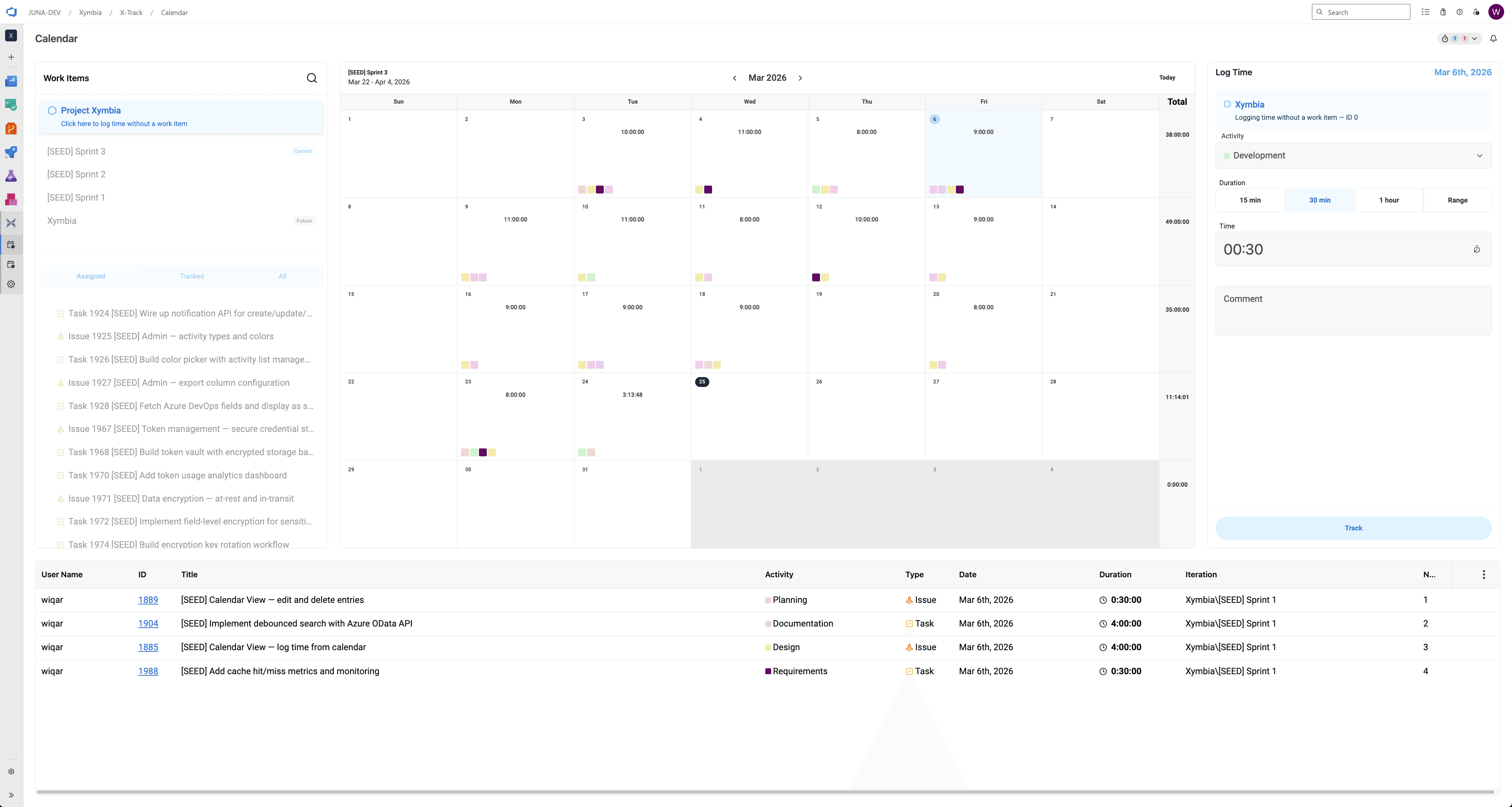
Stopwatch timer
Start, pause, and resume a live timer directly from any work item.
Custom activity types
Development, Design, Testing, Planning, and more — fully configurable and color coded.
Quick duration
15 min, 30 min, 1 hour presets or custom range.
Log without a work item
Track overhead or unplanned work without needing a work item ID.
Idle detection
Configurable timeout alerts when the timer has been running too long.
Comment support
Add context to every entry — visible in timesheets and exports.
How it works
Step 1 · Install
Add Timekeeper from the Azure DevOps Marketplace in minutes. No separate login required.
Step 2 · Log time
Log time against any work item directly from the ADO calendar or work item panel.
Step 3 · Export
Export clean CSV data for finance — itemized or summarized, with configurable columns.
Step 4 · Timesheets
Enable timesheet periods — weekly, bi-weekly, semi-monthly, or monthly. Members submit at period close.
Step 5 · Approval workflow
Admins review, approve, or reject submitted timesheets. Every action is logged in a full audit trail.
Your team’s time, accounted for.
The timesheet workflow that fits the way your team actually works.
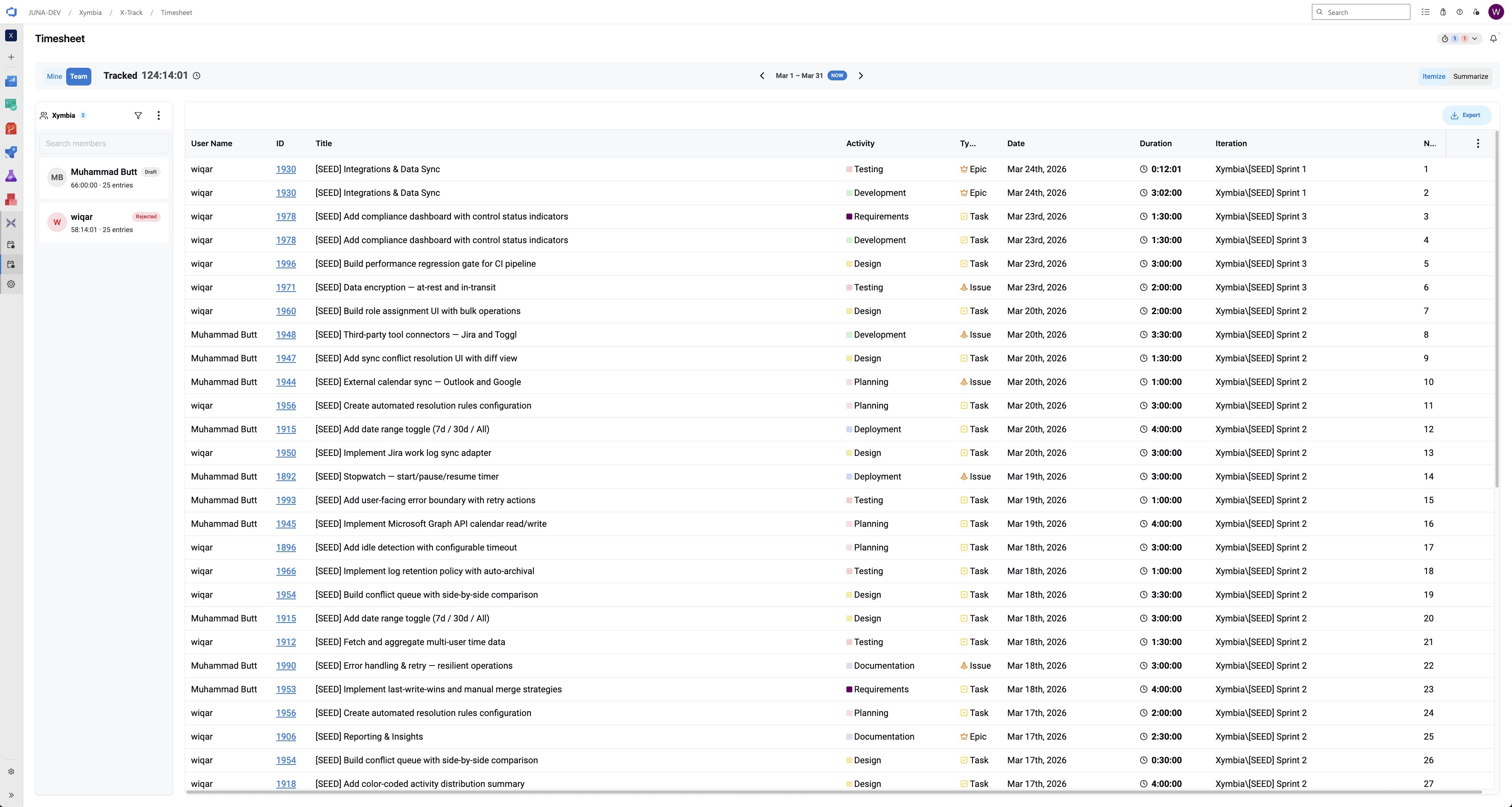
Period presets
Weekly, bi-weekly, semi-monthly, monthly.
Bulk approve
Approve or reject up to 100 timesheets at once.
Smart reminders
Automated alerts before period close so nothing gets missed.
Audit log
Every submission, approval, and rejection timestamped and recorded.
Recall
Members can recall a submitted timesheet before it’s approved.
Resubmit
Rejected timesheets go back to the member for correction and resubmission.
Answers the questions your engineering team gets asked every sprint.
Every hour logged ties back to a work item, an activity type, and a sprint. Timekeeper turns that data into answers — for the team, for the manager, and for the stakeholders who need the numbers.
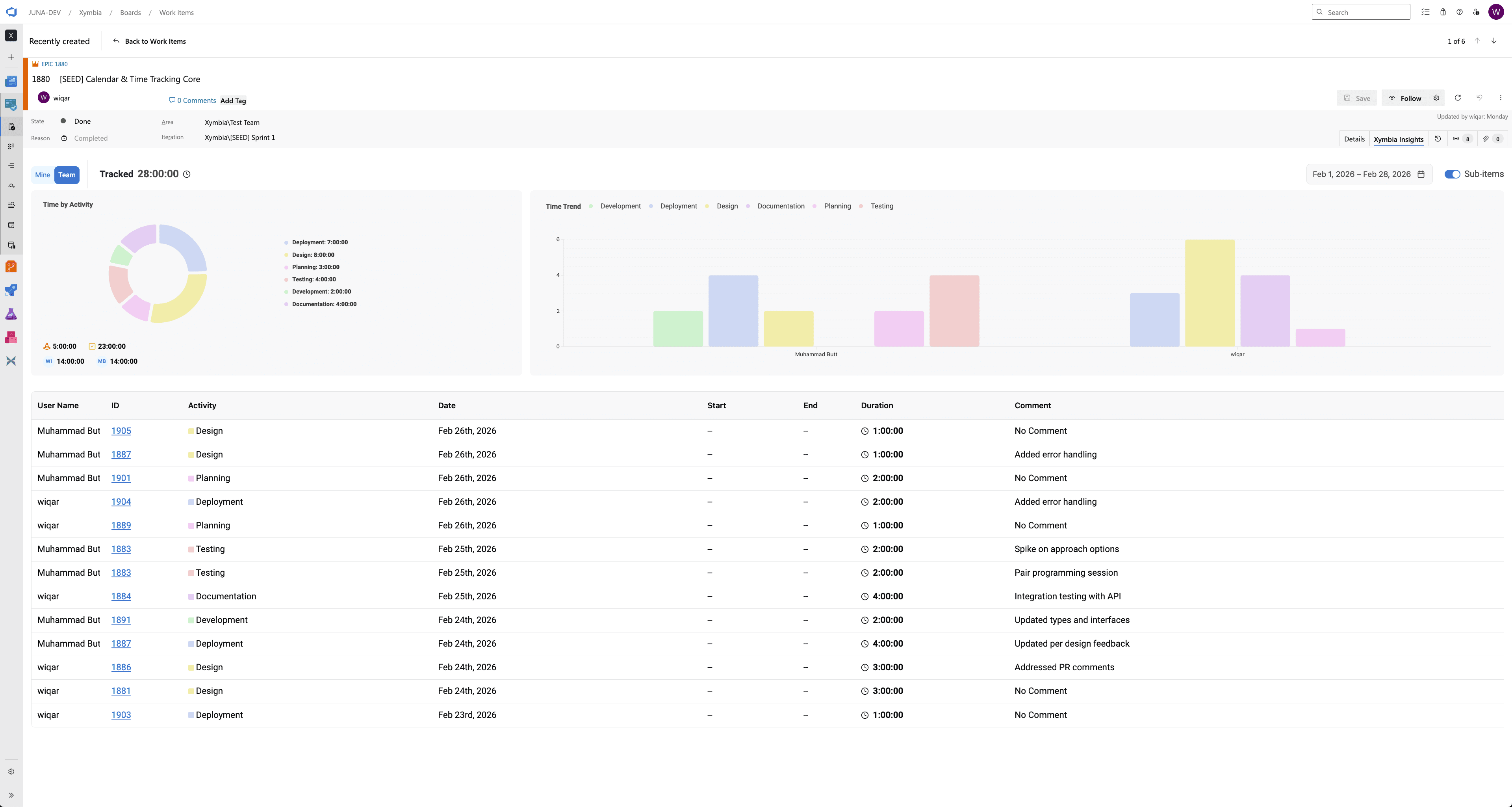
Time by activity
See exactly how time splits across Development, Design, Testing, Planning, Deployment, Documentation and Requirements.
Time trend
Bar chart by team member across periods — spot patterns and imbalances early.
Work item detail
Drill into any work item to see total hours, activity breakdown and who contributed what.
Mine / Team
Every insight available at both individual and team level.
Sprint context
Every entry carries its iteration path — so insights map directly to your sprint cadence.
Date range
Filter across any custom date range, not just the current sprint.
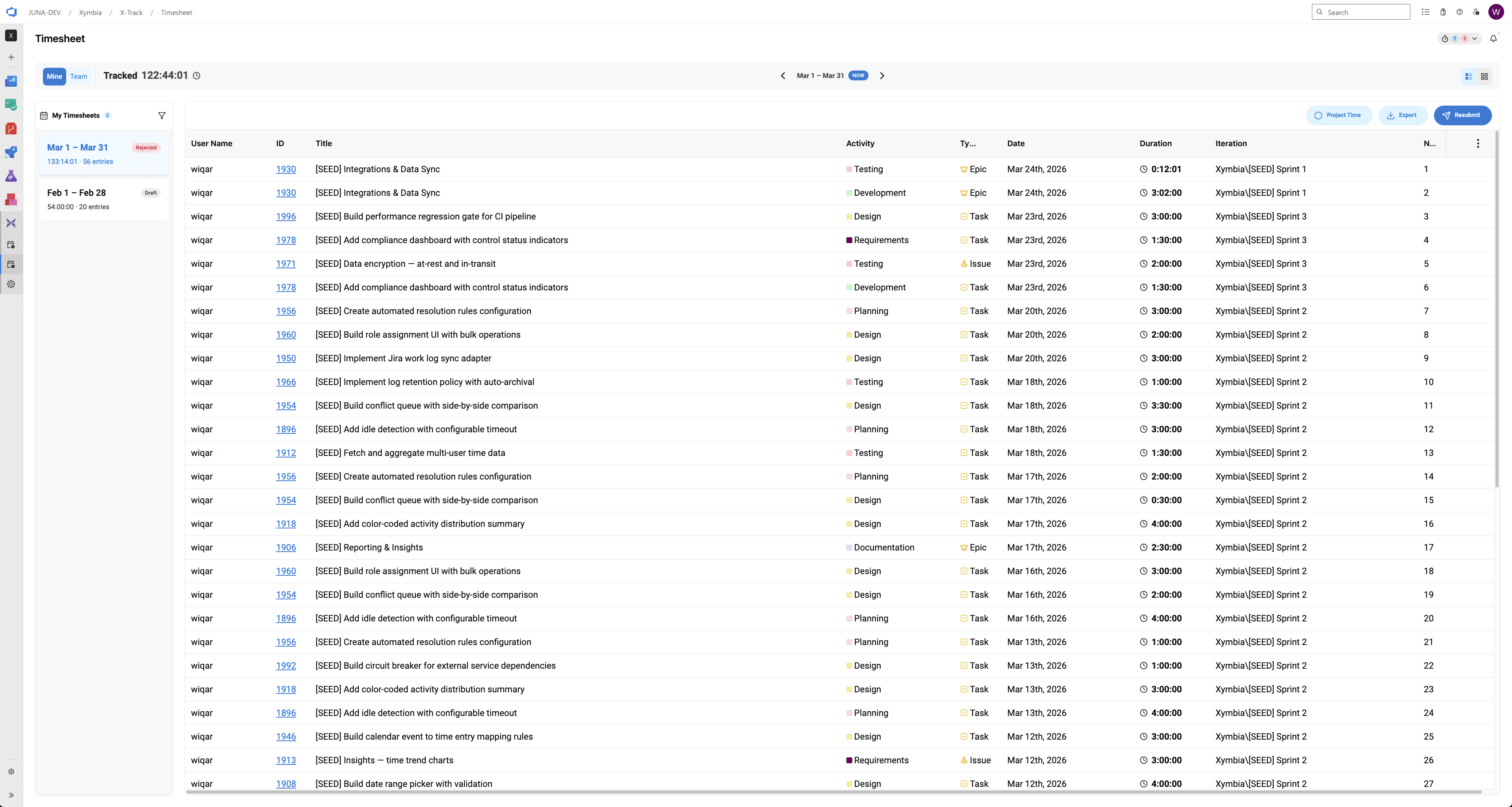
Export the way finance actually needs it.
Most time tracking tools give you one CSV and call it done. Timekeeper gives you full control over what goes in it, how it’s structured, and how it’s labeled.
Itemize mode
Every individual entry on its own row — full detail including start, end, comment and iteration.
Summarize mode
Aggregated by user, activity, or work item type. Clean totals for finance without the noise.
Configurable columns
Drag and drop to choose exactly which fields appear in the export.
Custom aliases
Rename any column to match your finance team’s terminology.
Azure + Xymbia fields
Pull from both ADO native fields and Timekeeper fields in the same export.
Custom fields
Add static custom fields and values to every exported row for downstream processing.
Simple pricing. No surprises. More integrations in the works.
$10 / user / month
Per user, billed monthly
Full team timesheet access
Sprint and iteration reporting
Activity breakdown and time trends
Export to CSV
Native ADO extension — no separate login
Timekeeper Web
A unified web experience that brings Timekeeper beyond Azure DevOps — to GitHub, Figma, Miro, and any tool your team already works in. One place to track, review, and report on time across your entire engineering workflow.


